When it comes to digital marketing, few things matter more than adding keywords for SEO. Keywords act as a bridge between your business and the people searching for products or services online. By using a smart keyword strategy, you can connect with your target audience and make your site easier to discover.
Search engines like Google rely on these words to measure keyword relevance and determine your search engine rankings. Without the right keywords, even a beautiful website may stay invisible. This guide will show you how to choose, refine, and place keywords so your site earns more traffic and visibility.
What Are Keywords in SEO and Why Are They Important?
Keywords are the bridge between a target audience and your website. They represent the exact search terms people use to find sites like yours. If you choose the wrong terms, your pages may never appear where they should. When you choose the right ones, your site can climb higher in search engine rankings and attract more customers.
Think of keywords as the language your visitors already use. Adding them correctly helps with site visibility and visitor experience. Every brand needs a strong keyword strategy because search engines like Google and Bing look at the words on your page to decide how relevant it is. Without them, your site will remain invisible.
Different Types of Keywords You Should Know
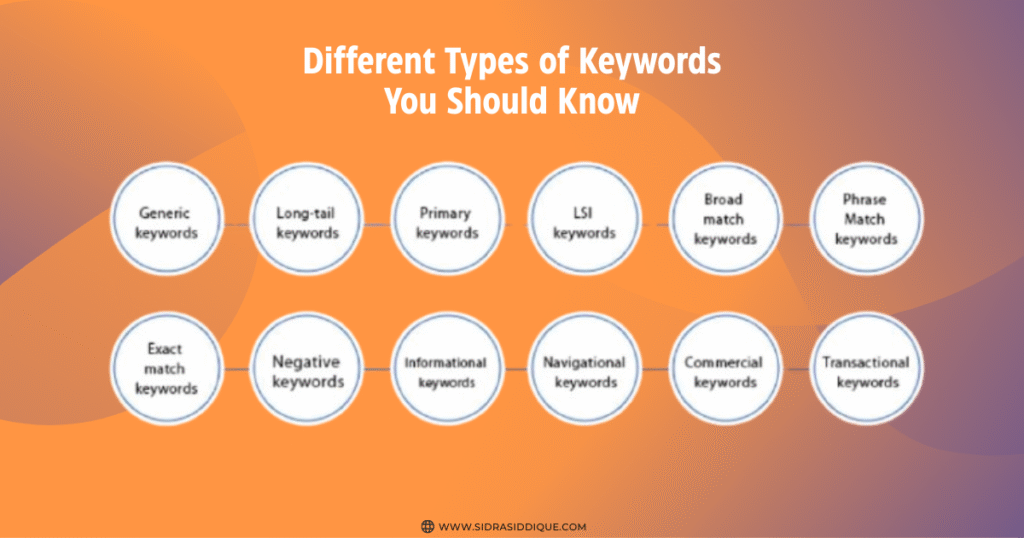
There are several types of keywords, and each has its role. Head keywords are broad and usually have high keyword difficulty, while long-tail keywords are more specific and often easier to rank. Both are important because they attract different kinds of visitors.
You also need to consider keyword relevance. Not every term with high traffic will help your site. For example, if you run a bakery, ranking for “restaurant” won’t help. But “gluten-free cupcakes in Boston” might bring real buyers. Knowing which type fits your site is part of keyword best practices.
Short-Tail vs. Long-Tail Keywords Explained
Short-tail keywords are single words or very short phrases. They often get thousands of searches but also face tough competition. For example, “lawyer” or “shoes” are hard to win. These are also known as head keywords, and they often have the highest keyword difficulty.
Long-tail keywords usually include three or more words. They bring fewer searches but better conversion rates. For example, “divorce lawyer in Dallas” or “red running shoes for women.” These terms show a stronger intent to buy. For small businesses in the USA, long-tail keywords are often the smarter choice.
How Do Search Engines Use Keywords?
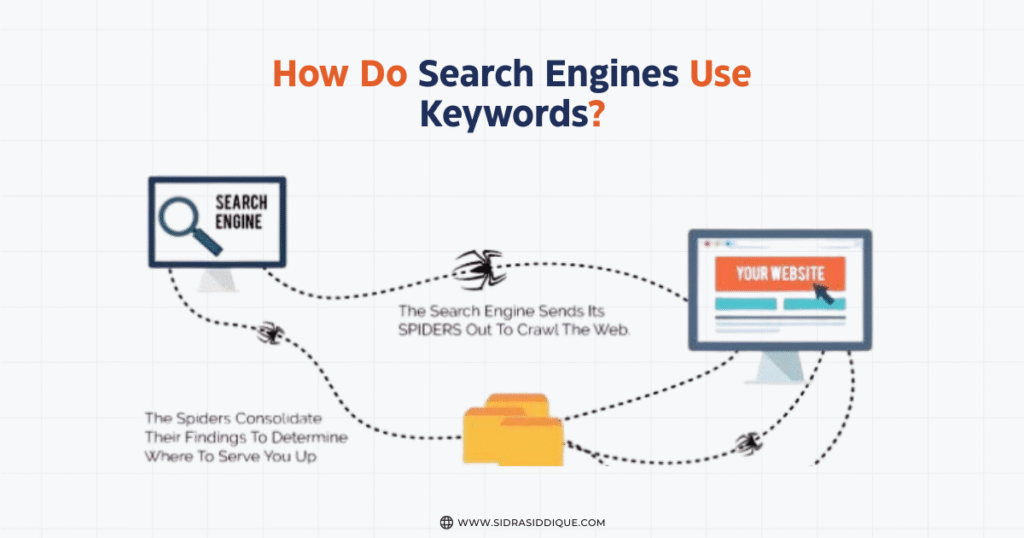
Search engines crawl, index, and rank web pages. They analyze your words and compare them with what users type. This process matches search terms people use to find sites like yours with the right pages. Google now uses synonyms & related searches to give even better results.
With AI and NLP, Google looks for meaning, not just exact matches. It checks your headings and subheadings, SEO titles & meta descriptions, and body text to see if they connect with intent. That is why you must create valuable content around search intent rather than repeat one phrase.
Step 1 – Brainstorm and Collect Keyword Ideas
The first step is to brainstorm keyword list ideas. Start by thinking of the words your target audience may type into Google. Add your products, services, and brand. Don’t forget to check competitor websites and see which terms they rank for. This is called analyze competitor keywords.
You can also use tools like Google Autocomplete and synonyms & related searches. These tools show what people type most often. Keep this list long because you will later refine keywords using tools and filter them down. Remember, every strong keyword strategy begins with good research.
Step 2 – Refine Your Keyword List Using Tools
Once you have a big list, it’s time to clean it up. Use Google Ads Keyword Planner, Ahrefs, or SEMrush to measure keyword difficulty, search volume, and competition. This step will show which terms are worth keeping and which are not.
It’s also important to look at keyword relevance. You don’t want to waste time ranking for words that don’t bring customers. In the USA, data from tools will also show the cost-per-click if you ever want to try organic SEO vs. paid ads. This helps balance both approaches.
Step 3 – Choosing the Right Keywords for Your Site
Not every keyword is worth using. Some bring visitors who don’t buy, while others may be too competitive. You need to choose a mix of head keywords and long-tail keywords that match your goals. A smart keyword strategy will focus on both.
If you run a local business, focus on local search terms. For example, “plumber in Houston” is better than just “plumber.” For bigger companies, target national keywords. The goal is to pick terms that improve your site visibility and deliver a strong visitor experience.
How to Add Keywords Naturally Across Your Website
You must add keywords naturally to your content. Place them in your headings and subheadings, body text, and CTAs, but never force them. Google can easily detect keyword stuffing, and it will hurt your search engine indexing.
The key is balance. Use keywords where they make sense, and always write for humans first. If your content feels natural to a reader, it will also feel natural to Google. That’s the foundation of good keyword best practices.
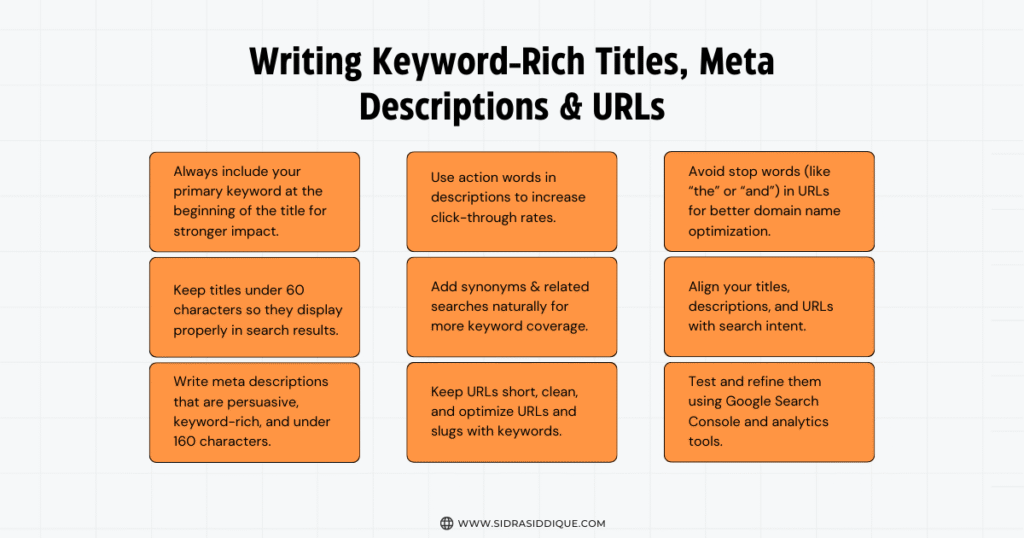
Writing Keyword-Rich Titles, Meta Descriptions & URLs
Titles and descriptions tell Google and users what your page is about. You must write keyword-rich meta descriptions, use descriptive page titles, and even optimize URLs and slugs. For example, instead of “/page1,” use “/best-seo-tools-usa.”
These small changes make a big difference. They improve your search engine rankings and help users click your link. Always keep them short, clear, and relevant. This is a big part of domain name optimization and overall SEO success.
Optimizing Content with Keywords (Without Stuffing)
It’s tempting to repeat a keyword many times, but don’t. You must avoid keyword stuffing because it creates poor content and may lower your rank. Instead, use synonyms & related searches and natural variations.
Good content creation from keywords uses storytelling, examples, and facts. By writing this way, you can integrate keywords into your content without forcing them. Google rewards this balance with better search engine rankings.
Adding Keywords to Images, Videos & Multimedia
Search engines can’t “see” images. That’s why you must optimize images with alt text. Use clear file names, such as “seo-keyword-guide.jpg” instead of “IMG123.jpg.” This is called file names for SEO and helps with visibility.
For videos, add transcripts and captions. For photos, use alt text optimization. Both improve search engine indexing and help people find you. Multimedia can bring traffic just as much as written content if done right.
Organizing Your Site for Better Keyword Relevance
A website with clear categories makes it easy for both people and search engines. Group similar content under the same sections. This structure creates a silo effect, which strengthens keyword relevance.
Internal links also matter. Linking from one blog to another shows Google what’s related. It also improves visitor experience. Organize your site in a way that supports your keyword strategy and improves site visibility.
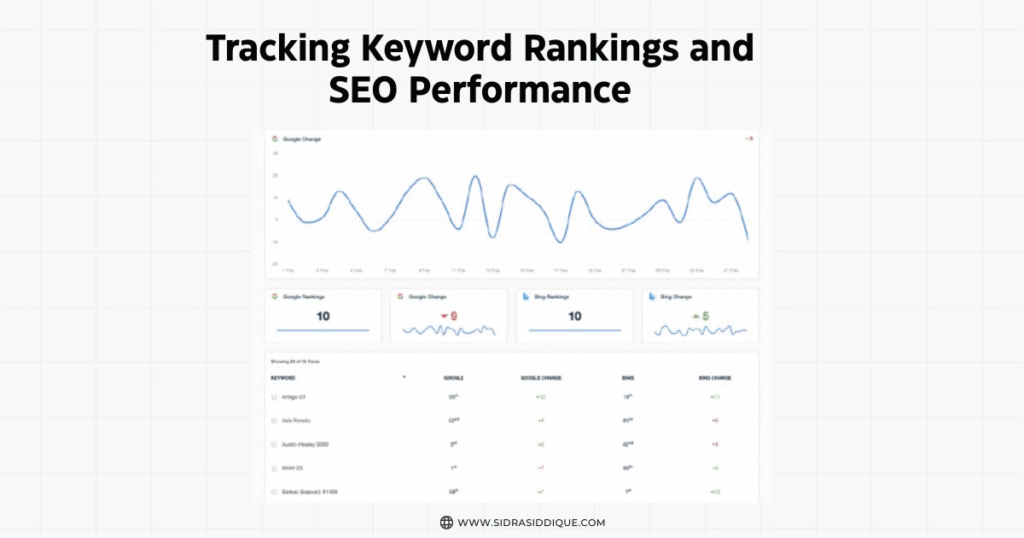
Tracking Keyword Rankings and SEO Performance
After adding keywords, you must measure success. Tools like Google Analytics integration, Google Search Console, and analytics tools help you track keyword performance. They show traffic, clicks, and conversions.
You can also test results with a private/incognito browser search. This lets you see rankings without personal history changing results. Over time, this data helps you decide when to replace low-performing keywords.
Common Mistakes to Avoid When Using Keywords
Many beginners make mistakes. The most common is keyword stuffing, which lowers quality. Another mistake is using irrelevant terms that don’t match search intent. Both can damage your search engine rankings.
A smart keyword strategy means updating often. Keep an eye on competitors, trends, and visitor experience. Don’t forget that blogging for SEO is one of the best ways to fix gaps in your keyword list.
How Long Until You See Results from SEO Keywords?
SEO takes patience. It often takes 3–6 months to see results in the USA. This depends on competition, backlinks, and content. For example, a small bakery may rank faster for “cupcake shop in Dallas” than for “bakery.”
Don’t give up if results take time. Keep working on keyword best practices, encourage Google to index updates, and continue writing. Over time, your search engine indexing will improve and rankings will rise.
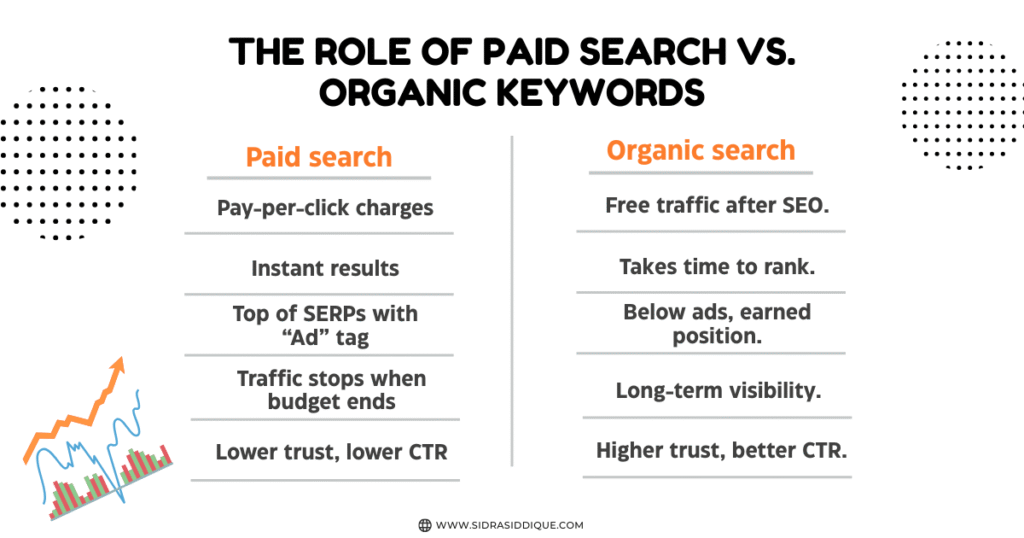
The Role of Paid Search vs. Organic Keywords
Organic SEO vs. paid ads is a common question. Paid ads bring quick clicks but cost money. Organic SEO takes time but delivers long-lasting results. Both can work together in a balanced plan.
In the USA, many companies run Google Ads to test keywords first. Later, they use the winners in content creation from keywords for free traffic. This smart mix makes your keyword strategy stronger.
FAQs on Finding & Adding Keywords
- How can I start SEO as a beginner?
Begin with basics like keyword research, quality content, and optimizing titles and meta descriptions. Learn step by step and track progress using free tools like Google Search Console. - How do I add SEO to my website?
You add SEO by optimizing page titles, headings, images, and URLs, while creating useful content around keywords. Submitting your site to search engines helps too. - What is an example of a keyword?
A keyword is a search phrase people type into Google. For example, “best coffee shop near me” is a keyword with clear intent. - Can I do SEO on my own?
Yes, you can handle basic SEO yourself by learning keyword research, writing optimized content, and improving site structure. Many beginners start without an agency. - How much does SEO cost for a website?
SEO costs vary widely—from free DIY efforts to $500–$5,000+ monthly for professional services. It depends on goals, competition, and resources. - How to boost SEO for free?
Publish high-quality content, use free keyword tools, optimize on-page elements, and build links naturally. Submitting your site to Google and Bing also helps visibility.